Tesla Roadster Thrusters Revealed! + Tesla vs. Rivian Halloween Battle & EnGenius Cloud Updates

In this live stream, we break down the latest Tesla Roadster SpaceX cold-gas thruster demo at McGregor, compare the 2026 Tesla vs. Rivian Halloween software updates, and review new EnGenius Cloud enterprise networking features!

Key Products & Links Mentioned

Connect & Subscribe

Rivian Ghostbusters Update 2026.36.0, Reolink Cameras & EnGenius WAN Upgrades!

Welcome to the Friday stream! Today we are tackling a massive lineup of EV updates, smart home economics, and enterprise networking. We kick things off with a deep dive into the Rivian 2026.36.0 Halloween update, exploring the Ghostbusters Easter egg, Mallow Mash, and the huge productivity boosts from the new Gmail integration and mobile app upgrades.

Next, we shift to the Tesla Model 3 to break down the surprise 2026 mid-year vehicle upgrades. We cover the new standard 16-inch touchscreens, the 528-horsepower bump and range increase for the Performance model, and the quicker 3.8-second 0-60 time for the Premium AWD. We also look at the new Dynamic Headlight Leveling feature rolling out in software update 2026.38.

For the smart home, we discuss how to deploy Reolink Wi-Fi cameras to bypass monthly cloud fees using local storage and Home Assistant, and how the recent market spike in MicroSD card prices changes the upfront cost of local NVR setups. Finally, Bryan joins to break down the latest EnGenius enterprise router updates, specifically how to utilize dual 2.5G selectable dual WAN ports to guarantee uninterrupted network uptime.

Featured Products & Gear

⚑ Vehicle Referral Links & Discounts

HTML

The First Wi-Fi 7 Travel Router: TP-Link Roam 7 BE3600 Review

Wi-Fi 7 is finally going portable! In this video, we go hands-on with the TP-Link Roam 7 (BE3600), a compact travel router that packs up to 3.6 Gbps of dual-band throughput and a 2.5 Gigabit WAN portβ€”all in a device small enough to fit in your glove box.

We put the Roam 7 to the test to see if it’s the ultimate connectivity upgrade for your next road trip, hotel stay, or remote workplace. I’ll walk you through its hardware, network file server capabilities, and advanced security features like VPN and firewall rules. Plus, we’ll do a real-world speed and range test, and even show you how to tether it wirelessly to a vehicle hotspot (like a Rivian R1T) to extend coverage all the way into your house.

Featured Gear

πŸ’° Exclusive Discount

Promo Code: Use creator code πŸπŸ“π“ππ‹πˆππŠ at checkout to save an extra 15% off the TP-Link Roam 7! Note: This code is only valid between October 6th and 7th.

Grab yours on Amazon right here!

iPhone 18 Pro Wi-Fi 7 Tests! Does FSD 14.3.10 Fix the Camera Bug?

Welcome to the Friday livestream! Today we are testing out the brand new iPhone 18 Pro on the Wi-Fi 7 network to see what the new N1 chip can really do. I’ll also share my battery life experience with the A20 Pro chip and show you why the MagBak is still my daily driver case. We also discuss why so many enterprise networks are dropping Cambium to migrate over to EnGenius Cloud.

Then, we jump into the Model 3 Performance to talk about the new Tesla FSD v14.3.10 update. Does it finally fix the annoying ‘clean camera’ bug from 14.3.9? We cover the fix, plus the new Automatic Collision Evasion system and the revamped speed profiles. Drop your questions in the live chat!

πŸ”— Links & Gear Mentioned

πŸš— Tesla Referral Links

Thinking about picking up a Model 3 Performance or another Tesla? Use our referral links below:

πŸ“« Contact & Socials

  • Jeff Keenan: @keenanjeff | Keenan Systems LLC
  • Bryan: @BryanSlayman | EnGenius

⏱️ Livestream Chapters

  • 0:00 – Intro & Stream Setup
  • 2:00 – iPhone 18 Pro Wi-Fi 7 Speed Tests
  • 4:30 – iPhone 18 Pro Battery Life (A20 Pro Chip)
  • 6:00 – The Best iPhone 18 Pro Case (MagBak)
  • 8:00 – Why Cambium Customers Are Moving to EnGenius Cloud
  • 11:00 – The FSD 14.3.9 Camera Clean Bug Explained
  • 12:30 – How to fix the interior camera haze error
  • 14:00 – FSD 14.3.10: Automatic Collision Evasion (ACE)
  • 16:00 – FSD 14.3.10: New Speed Profiles & Start from Park
  • 18:00 – Live Q&A

#iPhone18Pro #TeslaFSD #EnGenius #Model3Performance #WiFi7 #MagBak #Apple #Tesla #TechReview #KeenanSystems

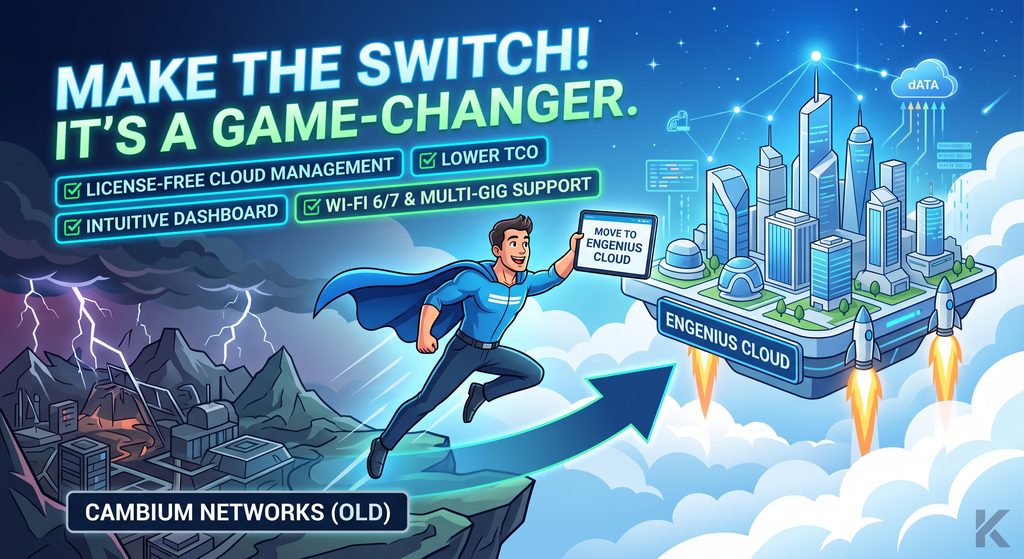
Managing a Cambium Networks deployment but looking for better options? πŸ‘€

Enter EnGenius Cloud. Enterprise performance without the enterprise overhead. β˜οΈπŸš€

Why make the switch? βœ… NO recurring license fees βœ… Lower Total Cost of Ownership βœ… Simple, single-pane dashboard βœ… Wi-Fi 6/7 & Multi-Gig ready

Ready to simplify your network? πŸ”— Shop gear: https://shopify.keenansystems.com/collections/wifi πŸ“§ Let’s talk migration: keenanj@keenansystems.com

#EnGeniusCloud #ManagedWiFi #CambiumNetworks #ITInfrastructure #KeenanSystems

iPhone 18 Pro Wi-Fi 7 Speed Test! 1.7 Gbps Over The Air πŸš€

Are you ready for multi-gigabit speeds over the air? In this video, we put the brand new iPhone 18 Pro to the ultimate Wi-Fi 7 test!

First, we use the Wi-Spy Lucid Spectrum Analyzer to verify whether Apple’s N1 chip is using 160 MHz or 320 MHz channel widths on the 6 GHz band. Then, we run OpenSpeedTest to see how fast this phone really performs when paired with two enterprise-grade Wi-Fi 7 access points: the EnGenius ECW536 and the Ruckus R770. We test both APs at close range (10 feet) and through multiple walls (50 feet) to see how Multi-Link Operation (MLO) holds up under real-world conditions.

Featured Hardware & Tools

🚨 Protect Your iPhone 18 Pro Make sure to protect your new phone! Check out our next video where we install the MagBak Elite V2β€”the best case to grab from Day 1.

πŸ‘‰Get the MagBak Elite V2 Case Here

🏷️ Use Promo Code KEENAN15 at checkout to save 15%!

Contact & Business Inquiries

Keenan Systems LLC

East Hampton, CT

πŸ“§ Email: keenanj@keenansystems.com

🌐 Website: www.keenansystems.com

iPhone 18 Pro Network Deep Dive: N1 Limits & The Connectivity Assist Trap

Welcome to the live stream! Today we are diving into the iPhone 18 Pro to test the new networking hardware, camera upgrades, and some hidden iOS settings you need to know about.

What we cover today:

  • The C2 Modem Split: Apple’s new in-house cellular silicon vs. Qualcomm.
  • N1 Chip Limits: Why Wi-Fi 7 is still capped at 160MHz and how it pairs perfectly with the EnGenius ECW520 2×2 access point.
  • The Connectivity Assist Trap: Why this new iOS feature will ruin your multi-gigabit throughput tests and local smart home roaming.
  • Active Aperture: Testing the new mechanical iris on the 48MP Fusion camera for video production.

πŸ›‘οΈ MagBak Cases & Accessories

Protect your new iPhone 18. Get 15% off the new Elite Black case, Burgundy case, and Smart Wallet using our link: πŸ‘‰ Shop MagBak Here Discount Code: KEENAN15

πŸ“‘ EnGenius ECW520 Wi-Fi 7 Access Point

Get the perfect 2×2 Wi-Fi 7 AP for the new iPhone 18 Pro here: πŸ‘‰ Buy the EnGenius ECW520

πŸš— Tesla Referral Links

Thinking about picking up a Model 3 Performance or another Tesla? Use our referral links below:

πŸ“« Contact & Socials

  • Jeff Keenan: @keenanjeff | Keenan Systems LLC
  • Bryan: @BryanSlayman | EnGenius

Everyone Has Wi-Fi, But Do You Have GOOD Wi-Fi?

If you are constantly dealing with dropouts, struggling to configure your hardware, or spending hours digging through online forums and Reddit just to find a simple troubleshooting answer, it is time for a change. Running a business network shouldn’t require you to be a full-time network engineer.

Expert Insights with EnGenius

In this video, I sit down with Bryan Slayman, Senior Solutions Engineer from EnGenius, to discuss why I transition my clients to EnGenius cloud-managed access points, switches, and routers.

We cover:

  • How you can get real remote help straight from the manufacturer.
  • The massive benefit of the EnGenius 5-year warranty.
  • Current product availability.
  • Which industries are a perfect fit for EnGenius hardware.

Upgrade Your Network

πŸ›’ Ready for better Wi-Fi? Upgrade your Wi-Fi network here

Contact Us for Network Help & Planning

Jeff Keenan | Keenan Systems

Bryan Slayman | EnGenius Technologies

  • Email: bryan.slayman@engeniustech.com
  • Phone: 949-510-6614

Tags: #WiFi #EnGenius #BusinessWiFi #Networking #KeenanSystems #WiFiTroubleshooting #EnterpriseNetwork #TechSupport

Live Speed Test, IONNA EV Event & Big Channel News!

Welcome to this week’s live stream! We have a packed agenda today, starting with some exciting changes coming to the channel. We’ll be walking through the new channel layout and how we are organizing the home automation, EV, and networking content to make it easier for you to find what you need. Read more about the channel reorganization here.

We are also breaking down the biggest takeaways from the Broadband Communities Summit that just wrapped up in Houston and what those industry trends mean for enterprise deploymentsβ€”specifically for the high-throughput Wi-Fi 7 gear like the EnGenius and Ruckus access points we test here. Then, we are putting our hardware to the test with a live speed test (because what could go wrong live?).

Finally, we are previewing the big IONNA “Station Hand” event happening tomorrow! We will discuss IONNA’s massive push to build out 24/7 Rechargeries with NACS and CCS bays and how the charging experience compares to plugging in a Model 3 Highland or Rivian on other networks.

Drop your questions in the chat, and we will catch them during the Q&A!

πŸ”— Gear & Tech Mentioned

πŸ’¬ Connect & Support

πŸ“¬ Contact Us