Ring Wired Doorbell Pro (Video Doorbell Pro 2 support 2.5Ghz and 5Ghz Wi-Fi) https://amzn.to/43sHHsF
Ring Wired Doorbell Plus (Video Doorbell Pro support 2.5Ghz and 5Ghz) https://amzn.to/3TyrQnM
All the answers for faster better Wi-Fi
Ring Wired Doorbell Pro (Video Doorbell Pro 2 support 2.5Ghz and 5Ghz Wi-Fi) https://amzn.to/43sHHsF
Ring Wired Doorbell Plus (Video Doorbell Pro support 2.5Ghz and 5Ghz) https://amzn.to/3TyrQnM
I will test my iPhone 15 Pro Wi-Fi pro with the EnGenius ECW536 https://www.keenansystems.com/store/catalog/product_info.php?products_id=687
and the Ruckus R770 https://www.keenansystems.com/store/catalog/product_info.php?products_id=696
You will get the same speeds with a Wi-Fi 6E Access Point like the EnGenius ECW336 https://www.keenansystems.com/store/catalog/product_info.php?products_id=644
Intel Wi-Fi 7 BE200 https://amzn.to/3GOaugE
Here are the latest Intel Wi-Fi drivers https://www.intel.com/content/www/us/en/download/19351/windows-10-and-windows-11-wi-fi-drivers-for-intel-wireless-adapters.html
Ruckus R770 Wi-Fi 7 AP https://www.keenansystems.com/store/catalog/product_info.php?products_id=696
EnGenius ECW536 Wi-Fi 7 AP https://www.keenansystems.com/store/catalog/product_info.php?products_id=687
Here are the Wi-Fi 6E Access Points I am using EnGenius ECW336 https://www.keenansystems.com/store/catalog/product_info.php?products_id=644 and the Ruckus R760 https://www.keenansystems.com/store/catalog/product_info.php?products_id=655
With the release of the iPhone 15 the big change that most people will notice is the USB-C port replacing Apple’s proprietary Lightning cable. But the most important change is that the iPhone 15 Pro and Pro Max now support 6Ghz Wi-Fi 6E.
I will do a near and far speed test with two of the best business class TriBand Wi-Fi 6E AP’s available
The EnGenius ECW336
and the Ruckus R760
both of these are connected to a ECS2510FP 2.5G switch.
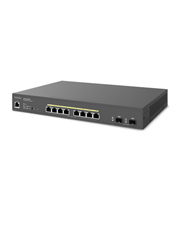
I am running them on non overlapping 160Mhz channels.
I will use the USB-C port to do a wired baseline speed test. I have a Cable Creation 2.5G Ethernet to USB Adapter connected to the iPhone with a Type C to USB 3.0 USBC Adapter
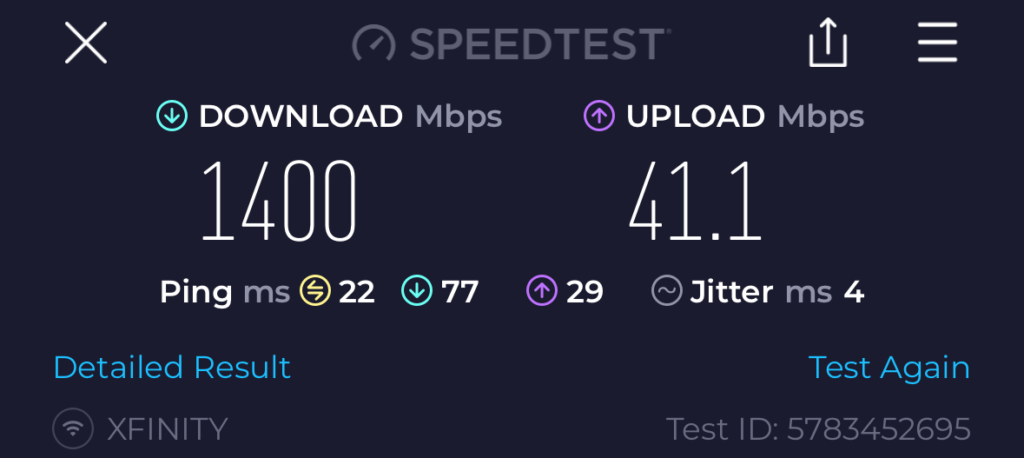
First I ran speedtest my xfinity Internet maxes out around 1.4Gbps
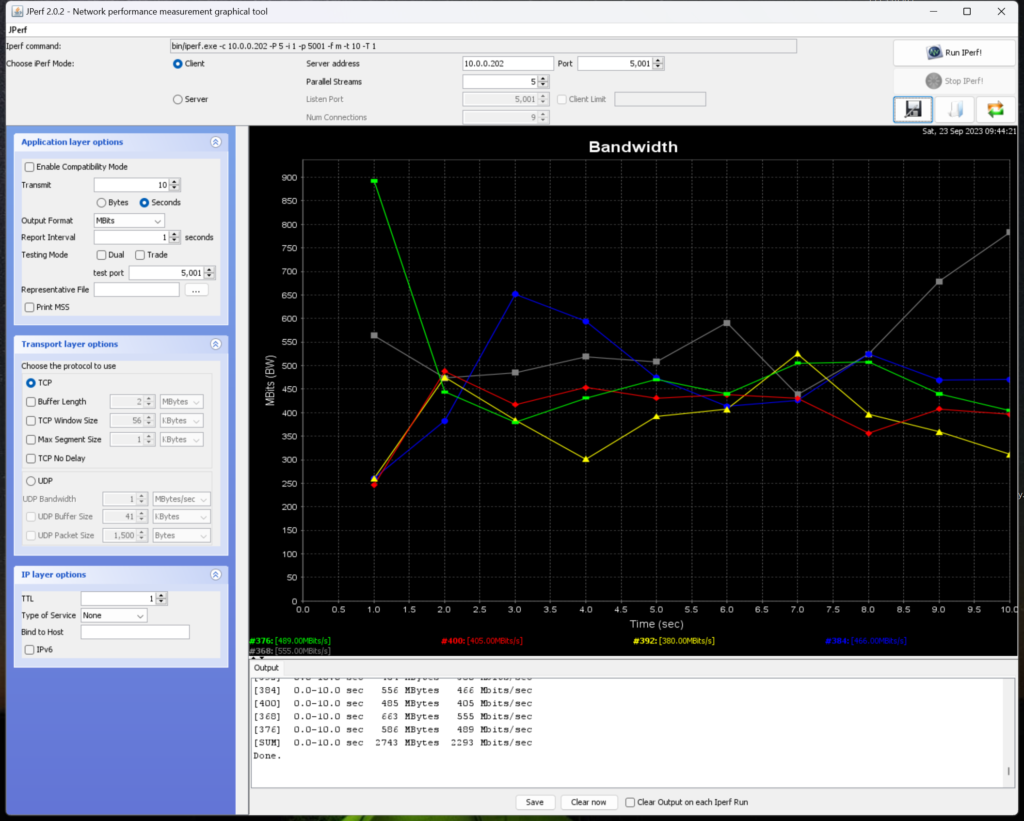
Then I used a iPerf server on the Iphone I got a maximum speed of 2.3Gbps
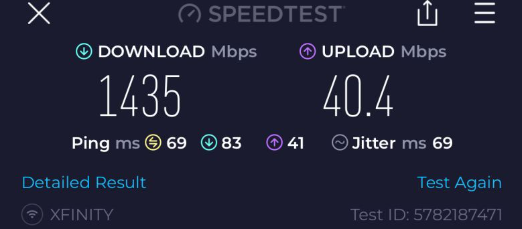
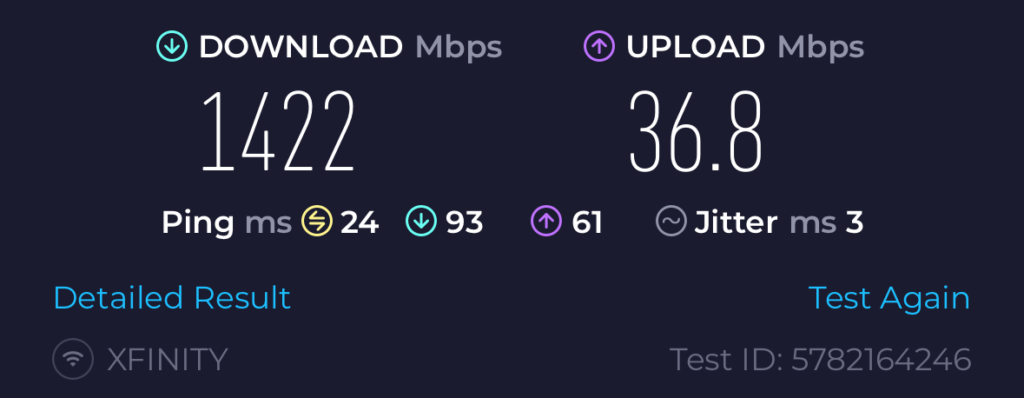
Next I did a Wi-Fi test with the EnGenius ECW336 at 10 feet and got 1.4Gbps!
Then I ran a iPerf test I got 1.5Gbps
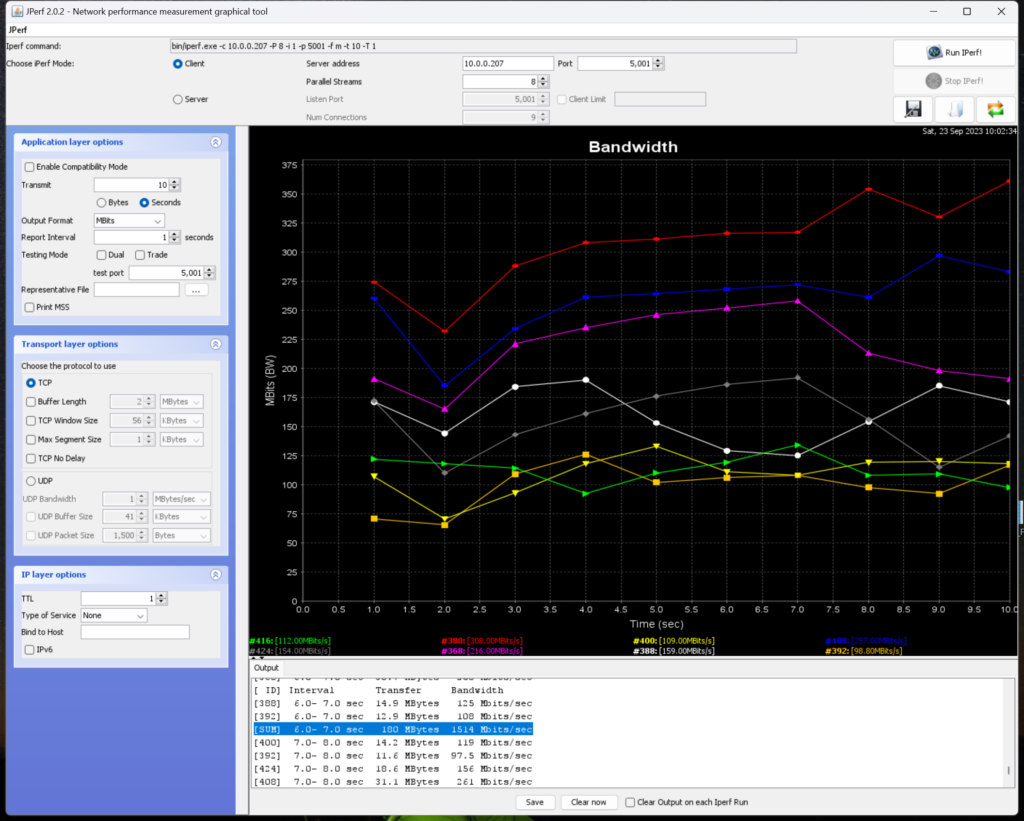
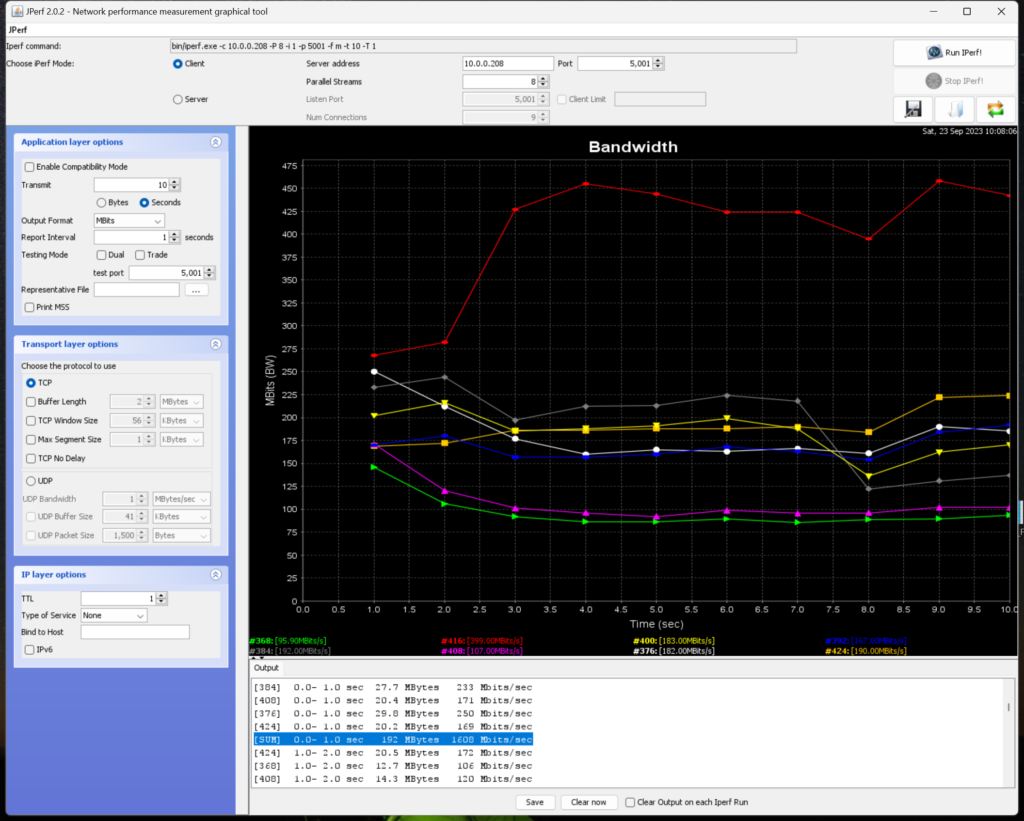
Next I did the same tests with the Ruckus R760 getting around the same 1.4 Gbps
Then with iPerf I got a maximum of 1.6Gbps
6Ghz does not travel quite as far as 5Ghz so plan on using about 30% more access points if you want full 6E coverage. However the signal quality at longer distances is still very good compared to 5Ghz and 2.4Ghz meaning you might not see as many bars of signal but still have a great connection.
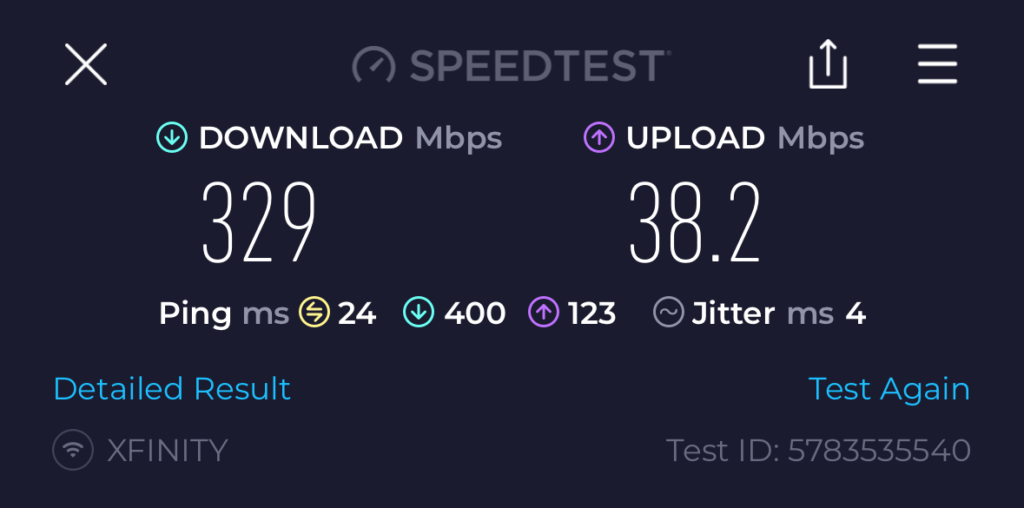
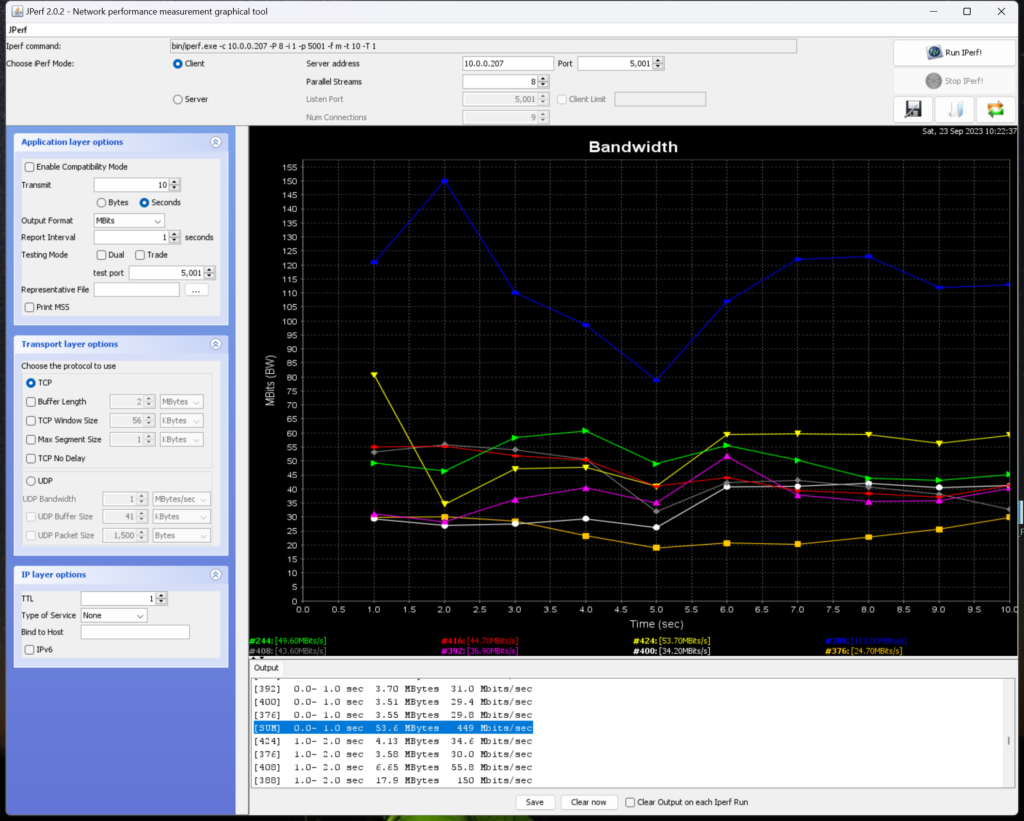
For the next tests I moved 40 feet away from the AP’s
I got 320Mbps from speedtest
Then I got a maximum speed of 449Mbps with iPerf
Last I will do the same test with the Ruckus R760
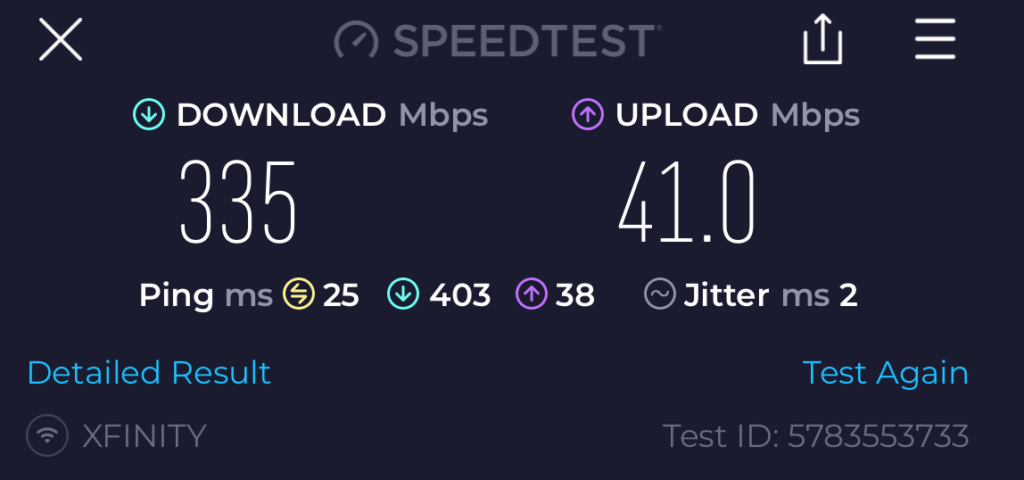
I get 335 Mbps
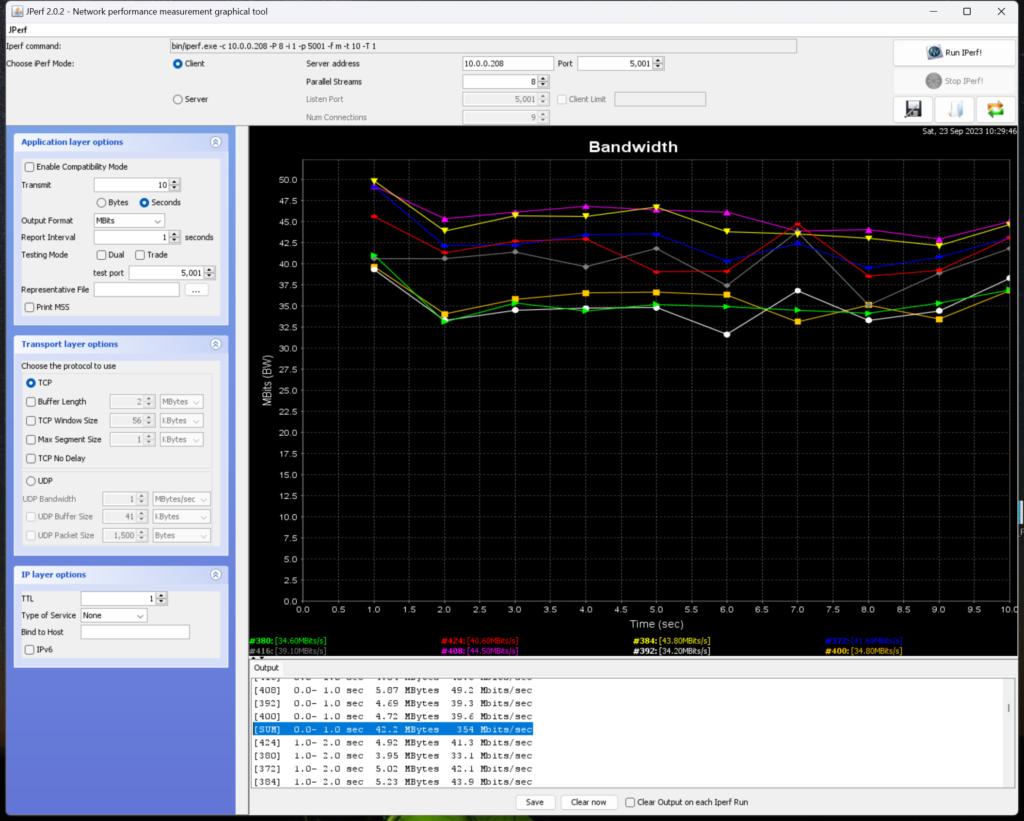
and a maximum of 254Mbps with iPerf
In conclusion Wi-Fi 6E on the iPhone 15 Pro and Pro Max is extremally fast! We are getting close to wired speeds with Wi-Fi and the same or better speeds than a windows laptop. This will open up lots of new application possibilities and speed up all network operations including streaming, gaming and downloads. The Ruckus R760 did not have an advantage in this single client test but if there were any interference or a large number of 6Ghz clients I am sure it wound fare better. The EnGenius ECW336 has great 6E performance and can be added to any network where you want or need faster speeds.
Ruckus R550 Wi-Fi 6 Unleashed AP https://www.keenansystems.com/store/catalog/product_info.php?products_id=619
More info on the R760 here https://www.keenansystems.com/store/catalog/product_info.php?products_id=655
The TriBand 2.4/5 and 6Ghz Wi-Fi 6E R760 is a high-end indoor access point (AP) made for ultra-dense indoor locations such as convention centers, lecture halls and stadiums
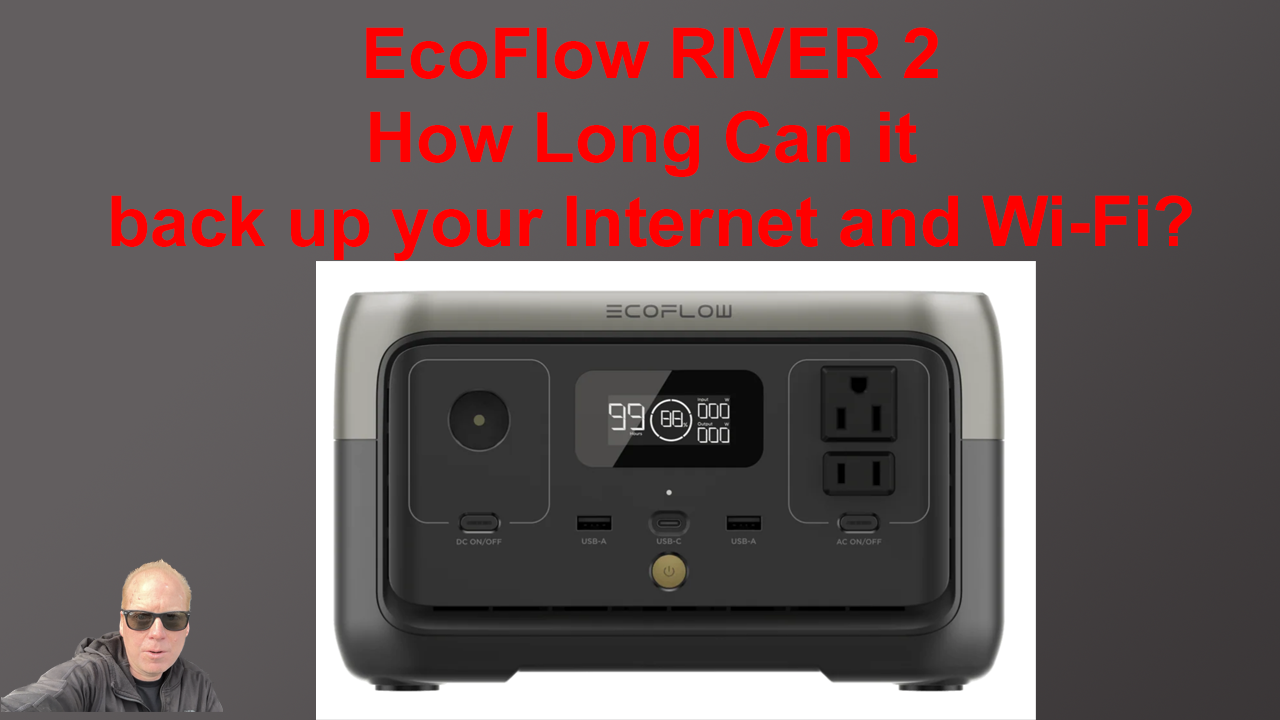
I will show you how much power my Internet Connection and Wi-Fi Equipment use and how long the EcoFlow RIVER 2 can run it. I will also show a sneak peek of the Home Assistant integration running with the River 2!
EcoFlow RIVER 2 https://amzn.to/3W5Jbpa
2.5G ESG510 Router https://www.keenansystems.com/store/catalog/product_info.php?products_id=661 ECS2528FP
Cloud Multi-Gigabit 24-Port 16 1G 8 2.5G Switch https://www.keenansystems.com/store/catalog/product_info.php?products_id=650
EnGenius ECW336 Wi-Fi 6E AP https://www.keenansystems.com/store/catalog/product_info.php?products_id=644
Ruckus R750 https://www.keenansystems.com/store/catalog/product_info.php?products_id=570
CyberPower CPS1215RMS Rackmount Surge Protector https://amzn.to/3ook8Ba
CyberPower EC850LCD https://amzn.to/3oqzW6v
more info on the ENH500-AX KIT here https://www.keenansystems.com/store/catalog/product_info.php?products_id=677