This is a getting started guide for the EnGenius cloud it shows you how to create a free account and register your cloud Wi-Fi Access Points and Switches.
EnGenius cloud quick start guide
Send download link to:
All the answers for faster better Wi-Fi
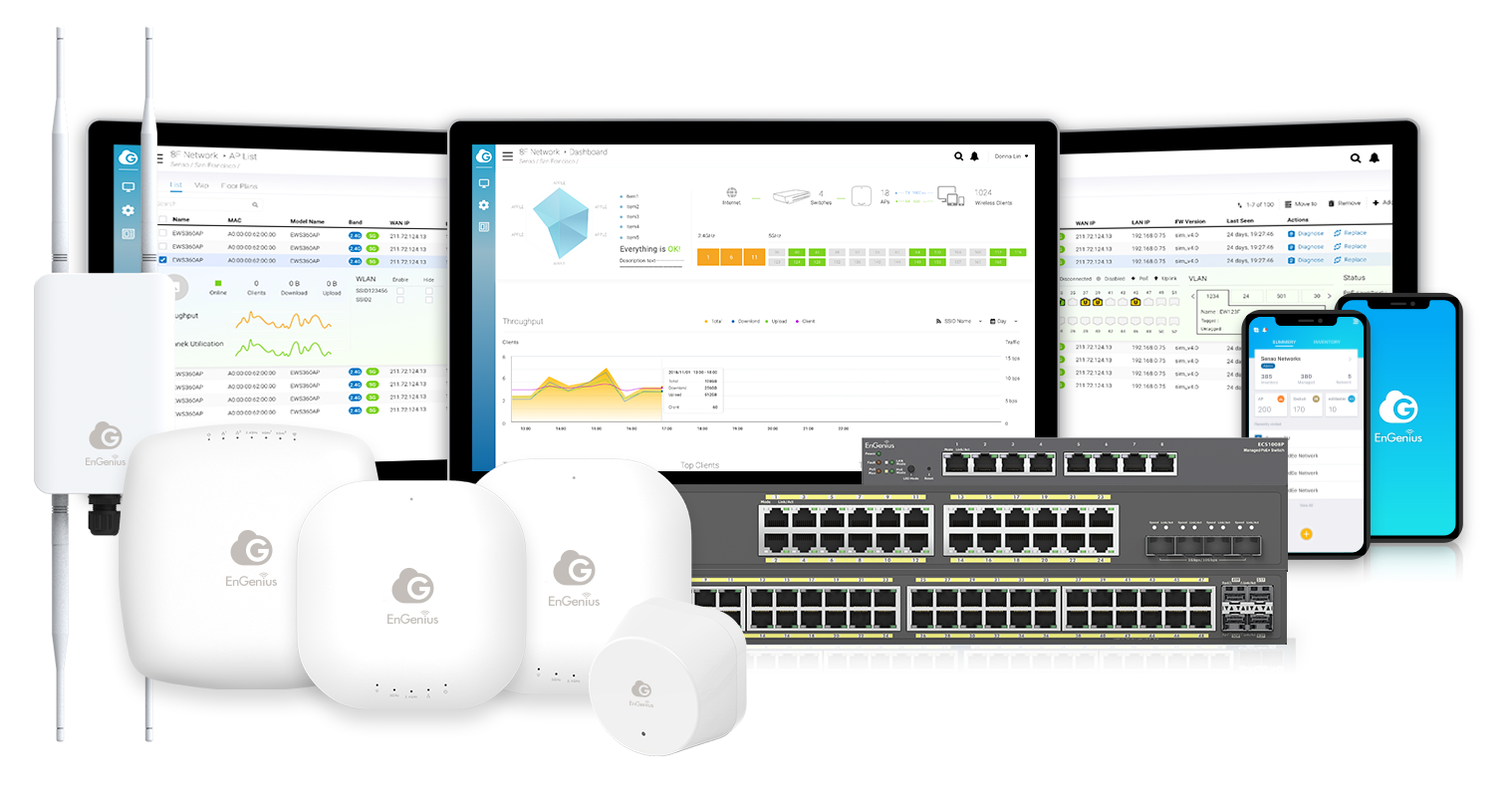
This is a getting started guide for the EnGenius cloud it shows you how to create a free account and register your cloud Wi-Fi Access Points and Switches.
Send download link to:
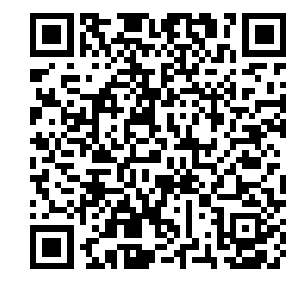
Tired of being asked for your Wi-Fi password at your business or home? Now you can generate a QR code for your guest SSID and post at your locations. It will automatically connect IOS and android phones to the Wi-Fi! Head on over to https://qifi.org/ and generate yours for free.
If you need a great cloud managed Wi-Fi 6 Access Point for you business that won’t drop connections try the EnGenius ECW230 AP
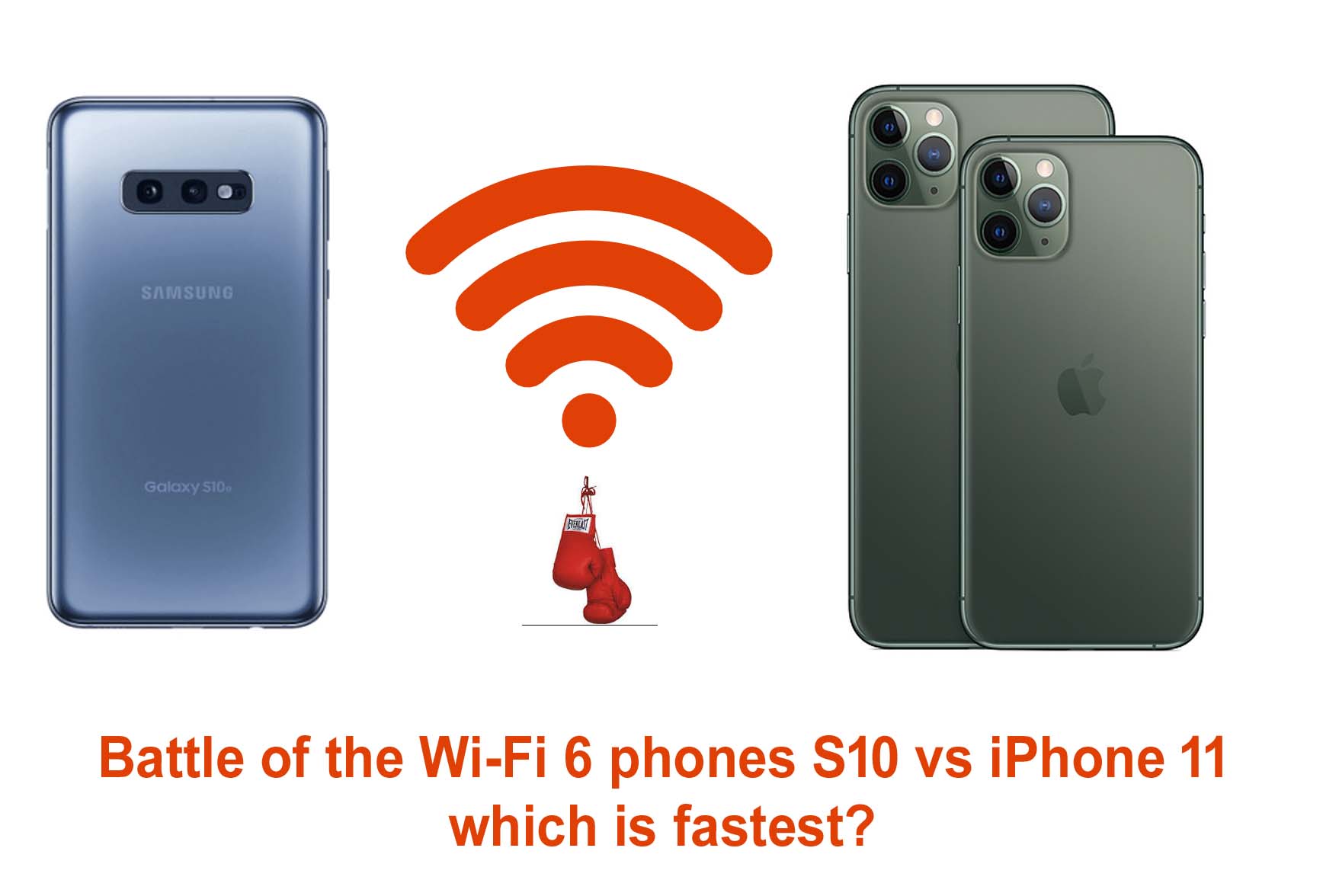
I now have both a Samsung Galaxy S10e and a iPhone 11 pro in house along with some of the best Wi-Fi 6 access points. I wanted to compare speeds at 3 locations in my home using iPerf and see what the differences are when connecting to a 4×43 Wi-Fi 6 Access Point the EnGenius ECW230.
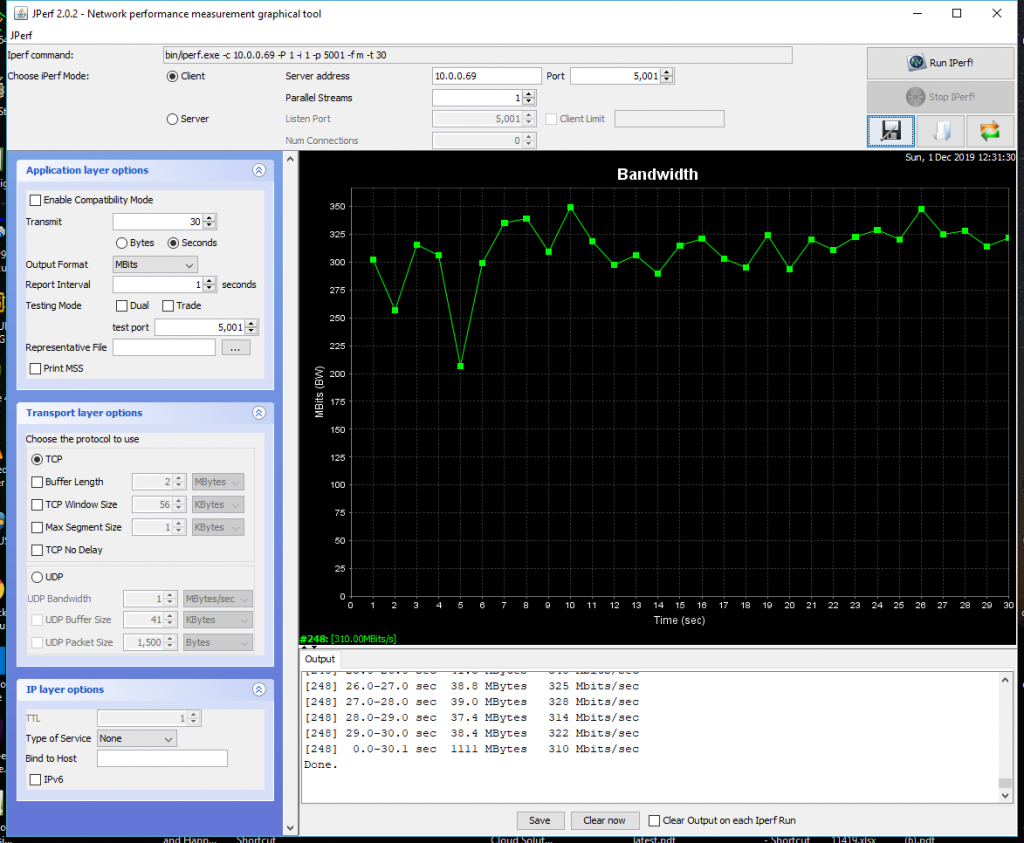
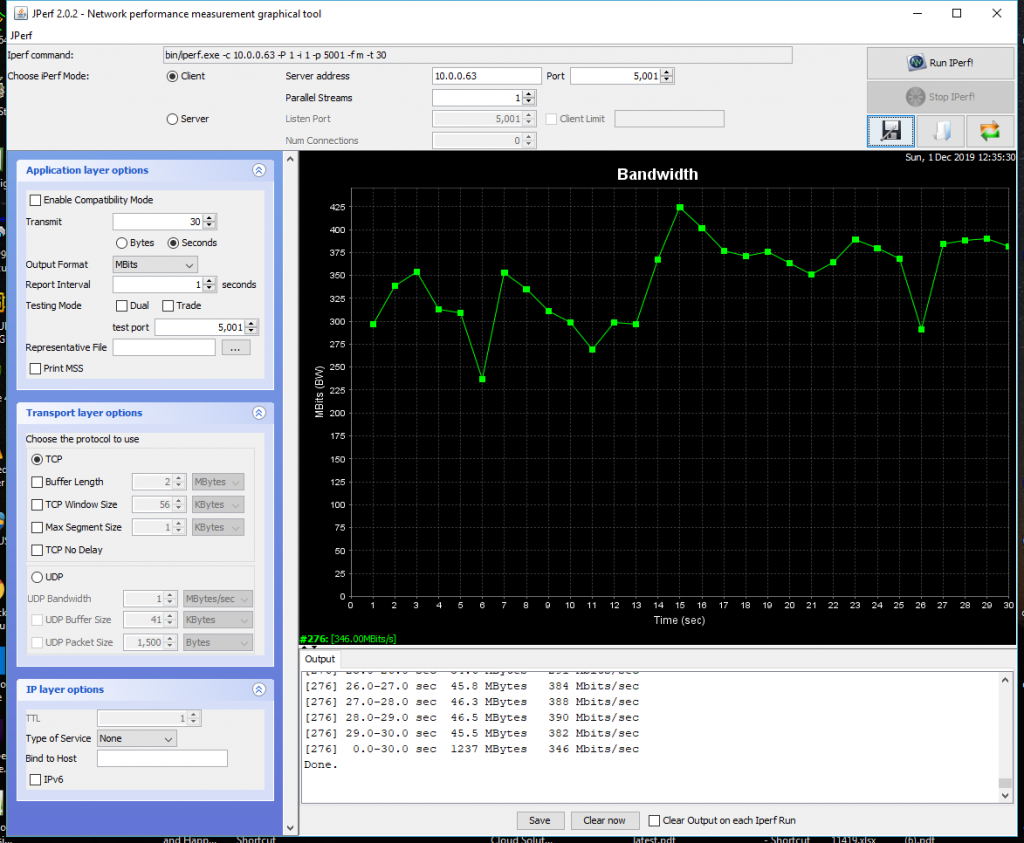
I setup the ECW230 on a clear 5Ghz 80Mhz channel in my office and first tested at 5 feet away sitting in a Qi charger. The iPhone averaged 550Mbps while the S10 averaged 650Mbps. The difference was the iPhone speed was very consistent while the S10 started lower and ramped up.
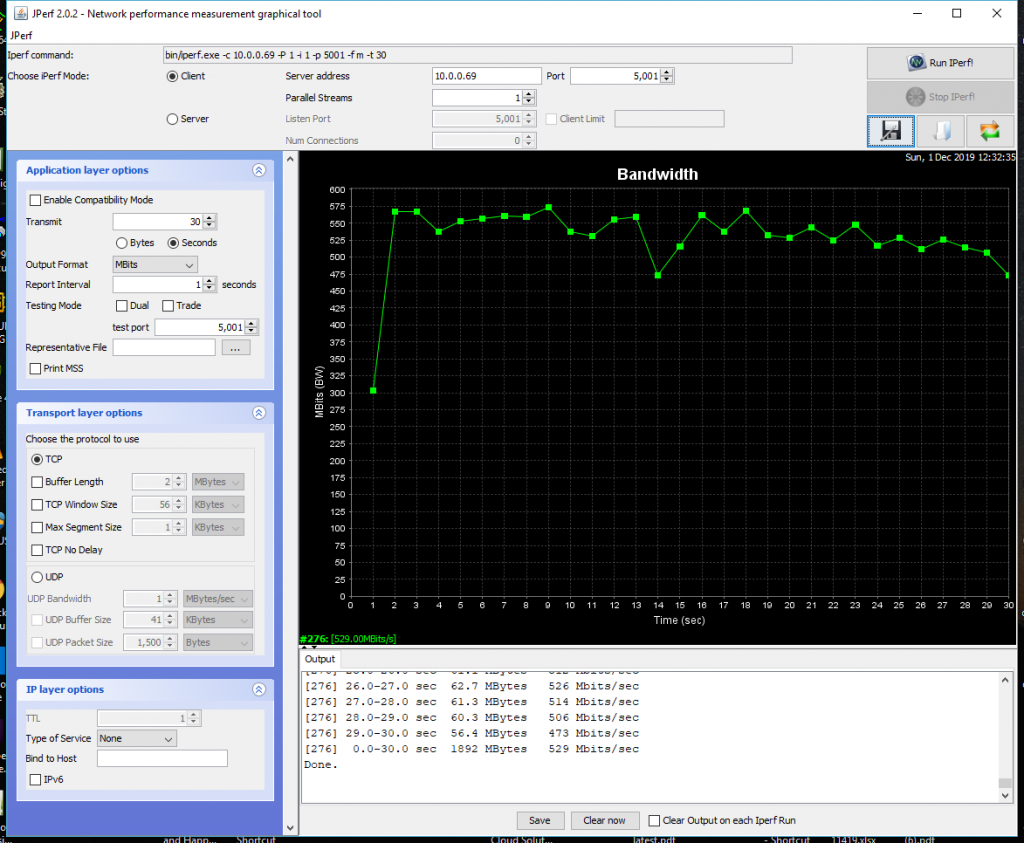
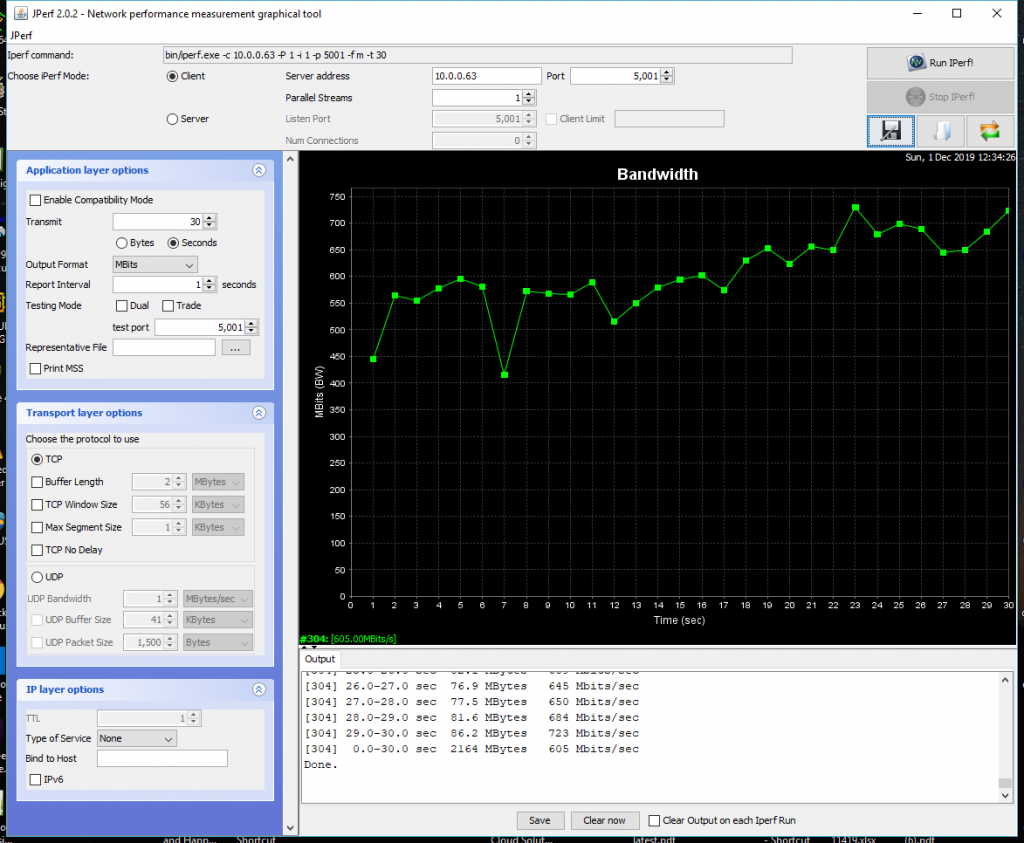
Next I moved the handsets to a position 25 feet away with line of sight to the ECW230 . The iPhone averaged 325Mbps and the S10 about 360Mbps again the iPhone was more consistent.
Lastly I moved the phones 50 feet away from the ECW230 there were several walls in between. Here the iPhone won out it averaged 90Mbps while the S10 did 45Mbps.
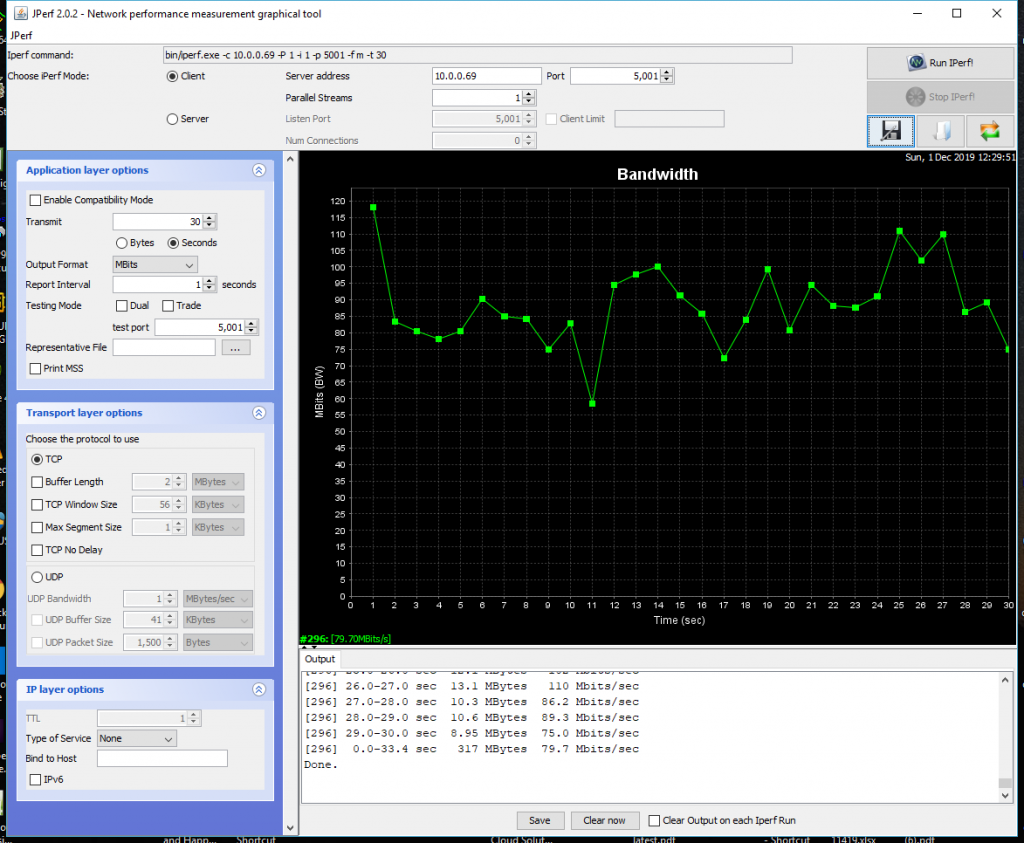
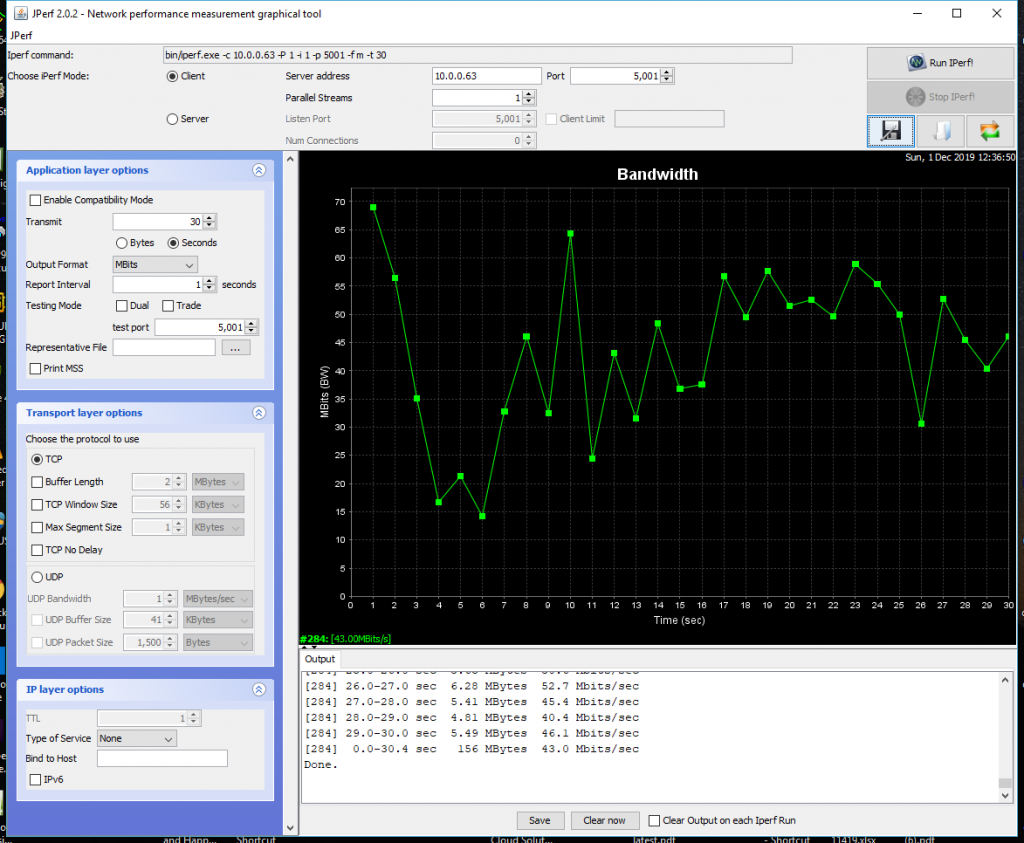
The good news is Wi-Fi 6 clients perform really well at range and we have even seen speed improvements in Wi-Fi 5 Clients connecting to a Wi-Fi 6 Access Point. Even at 50 feet there is still plenty of throughput to stream 4K Ultra HD with HDR on Netflix (25Mbps).
It is also a great time to upgrade to Wi-Fi 6 with the 2 major phone brands supporting it. We have the ECW230 in stock here it is cloud manged and is great for business or home use.
Click here for more information on the ECS1528FP
Contact me for questions and pricing keenanj@keenansystems.com 860 748 4110
I made a short video on how to add a Access Point to the EnGenius Cloud.
Please Contact me if you have any questions about the EnGenius Cloud keenanj@keenansystems.com 860 748 4110
EnGenius Has released a new EnWiFi app for IOS and Android that will make it easier to set up a new Wi-Fi network or troubleshot an existing network. see the supported products here
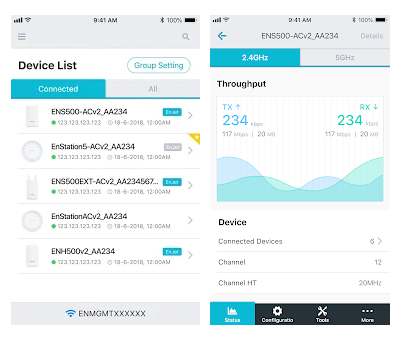
The EnWiFI app will scan the network and detect any current EnGenius Access Points and Bridges. You can view the number of connected users throughput and current channel. You can reboot the devices check for firmware updates and reset to default. You can also modify the settings all via the App.
This makes it very convenient for on boarding new devices you can plug a AP into a network with DHCP and find the IP address immediately to continue setup.
The EnWiFi app supports all the current EWS, ENS and ENH products look here to see them all.
If you are currently using Cloud managed Access Points and are sick of paying the cloud license fees then EnGenius cloud managed Wi-Fi is for you. These are business class Access Points and Switches with great capacity and features. Don’t pay another year of renewals on old hardware that just works ok when you can get the latest Wi-Fi 6 Access Points now.
I made a short video demonstrating some of the features of the EnGenius Cloud managed Wi-Fi system.
For the latest in Wi-Fi 6 check out the ECW230 here this is a 4×4 Wi-Fi 6 AP it can be powered by a 802.3at PoE switch like the ECS1112FP here. We have does extensive testing and the advantages or Wi-Fi 6 are clear see my blog posts here. These would be great for hotels, schools, and any high density public venu.
EnGenius did a stress test on the Wi-Fi 6 AP’s and cloud controller at 2020 new years eve party in Taiwan with over 20,000 visitors click here to see the video.
For a great general purpose cloud managed AP see the ECW120 here it can be powered by any 802.3af PoE switch like the cloud managed ECS1008P here. We have used these in restaurants and hotels with great success.
Click here to see all the EnGenius Cloud managed AP’s and switches.
Please use this form to contact me. You can also email keenanj@keenansystems.com or call me at 860 748 4110
I wanted to see what the channel spectrum looks like for a Wi-Fi 6 connection. So I used my Ekahau sidekick spectrum analyzer to look at a connection between a iPhone 11 pro and a Ruckus 8×8 11ax R730 and here is what I saw.
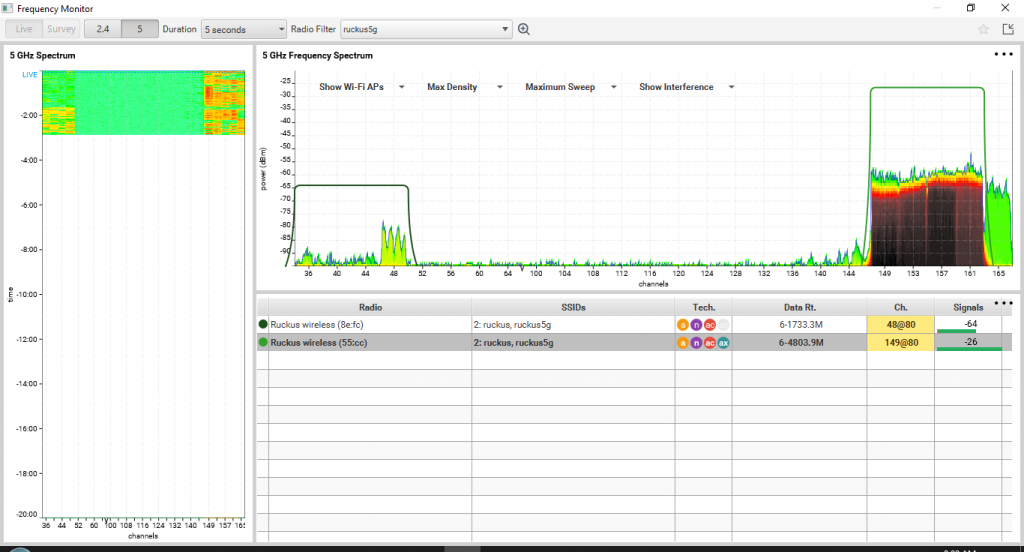
I ran iPerf to fully load the channel you can see the R730 is on channel 149 @ 80Mhz channel width.
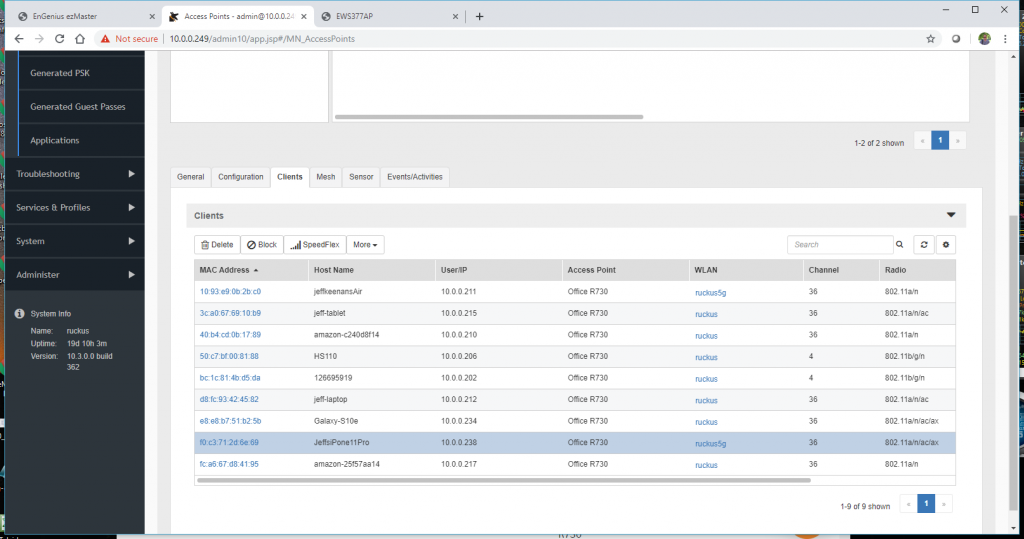
There is no indicator on the iPhone 11 to show a Wi-Fi 6 connection like there is on a Samsung Galaxy S10. However if we look at the client list on the Ruckus Zonedirector we see it is connected at 11ax.
Next I captured a video of the iPhone 11 Pro and Samsung Galaxy S10 both running iPerf servers against different wired clients. You can see the OFDMA Resource Units in action
Lastly I ran the same test again with a 20Mhz channel here is that video zoomed in.
For more information on the Ekahau Sidekick click here
For more information on the Ruckus R730 click here
With the release of the iPhone 11 it will quickly push the installed base of Wi-Fi 6 clients over 180 million by 2020. We know that the iPhone 11 pro and max have a 2×2 MU-MIMO 802.11ax Wi-Fi chipset. So how fast is it exactly?
To figure this out I started with 2 of the best Wi-Fi 6 Access Points currently on the market the EnGenius EWS377AP and the Ruckus R730. I took the iPhone out of it’s case connected to power and held horizontal at about 5 feet from the AP for the fastest speeds. I used a IPerf server on a iPhone 11 pro and a JPerf client on gigabit wired desktop and here are the results.
First I tested with the EnGenius EWS377AP it is a 4×4 MU-MIMO Wi-Fi 6 AP. I averaged 800Mbps with spikes as high as 845Mbps.
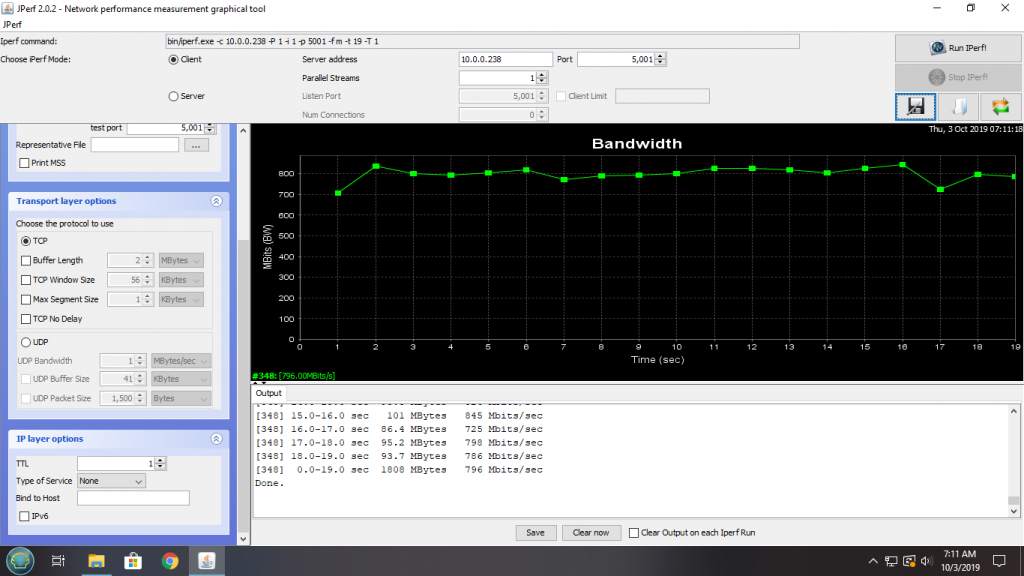
Next I tested against the Ruckus R730 it is a 8×8 MU-MIMO Wi-Fi 6 AP. I averaged 750Mbps with spikes over 800Mbps.
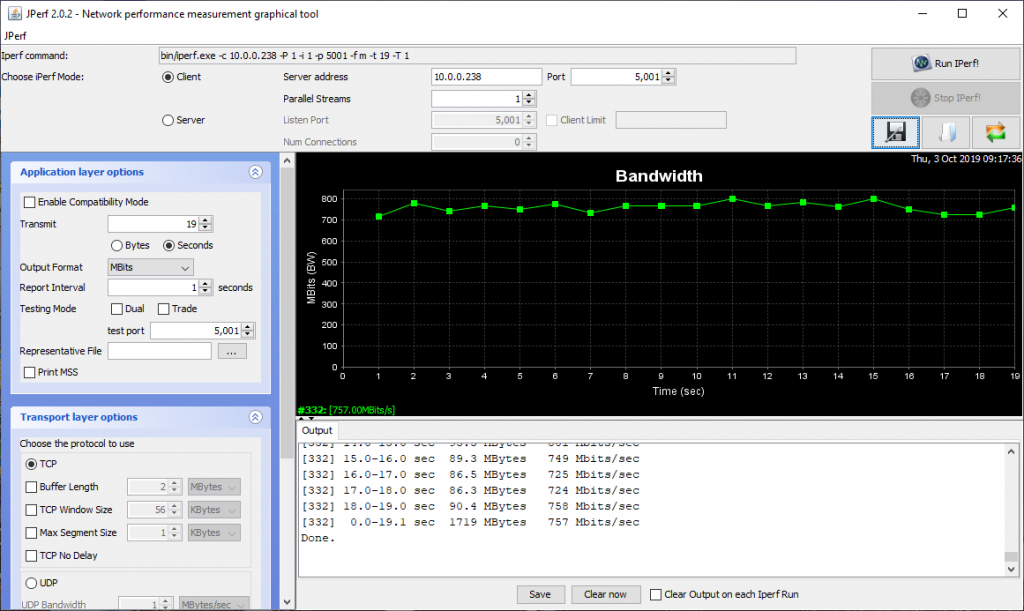
So how does this compare to the iPhone 10 with a Wi-Fi 5 chipset? You can see my testing here it averaged around 600Mbps so we are getting a solid 200Mbps gain with the iPhone 11! This is similar to what I saw with the Samsung Galaxy S10.
Short range speed is one advantage of Wi-Fi 6 but another one of the real benefits is increased speed at distance see my testing here.
For more information on the Wi-Fi 6 AP’s I used during this testing go here
The EnGenius Skykey is a hybrid cloud device running the ezMaster Access Point and Switch management software. The Skykey is is a PoE powered device connect it to a switch for both power and data it has a secondary ethernet port, a micro SD slot for local backups, and a magnet for easy mounting .
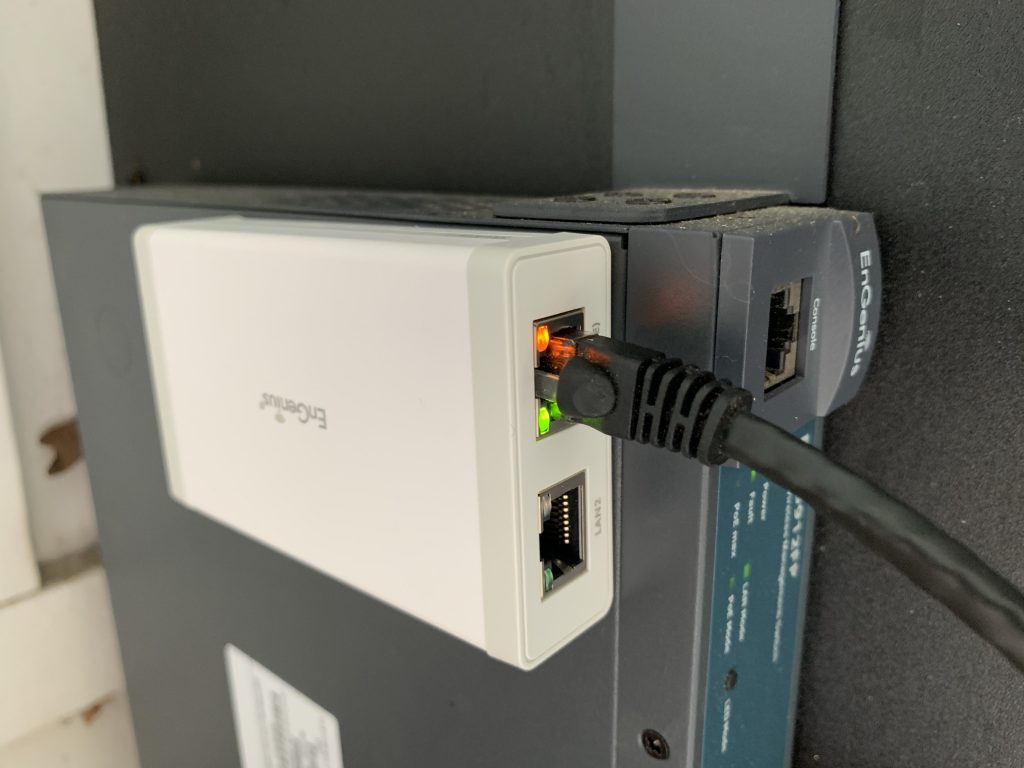
If you are already running ezMaster you can backup your configuration and load it into the Skykey . The Skykey will manage up to 100 devices you can access it remotely from the EnGenius Cloud or by local IP address. And as with all EnGenius cloud devices there is no subscription fee!
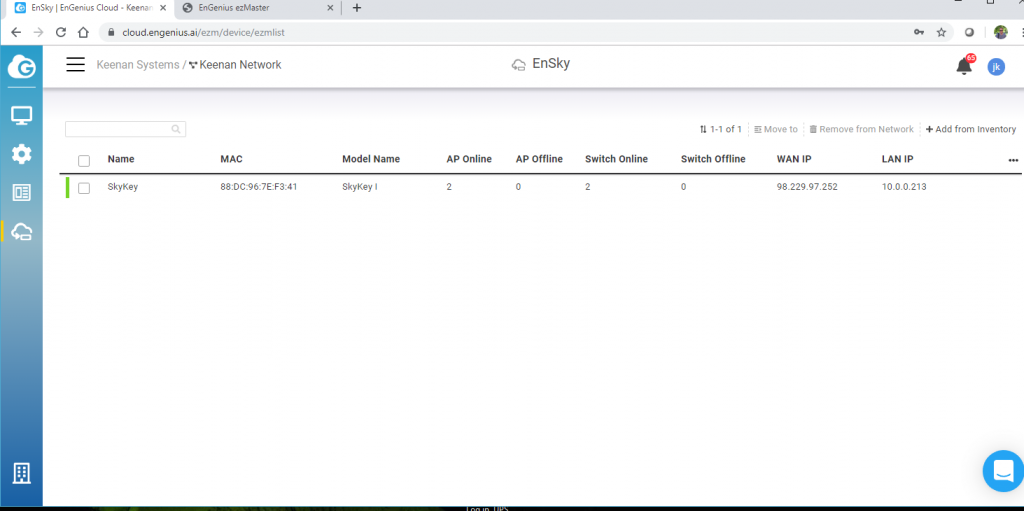
Once the SkyKey is configured you can onboard Access Points and switches across multiple sites with projects and AP groups.
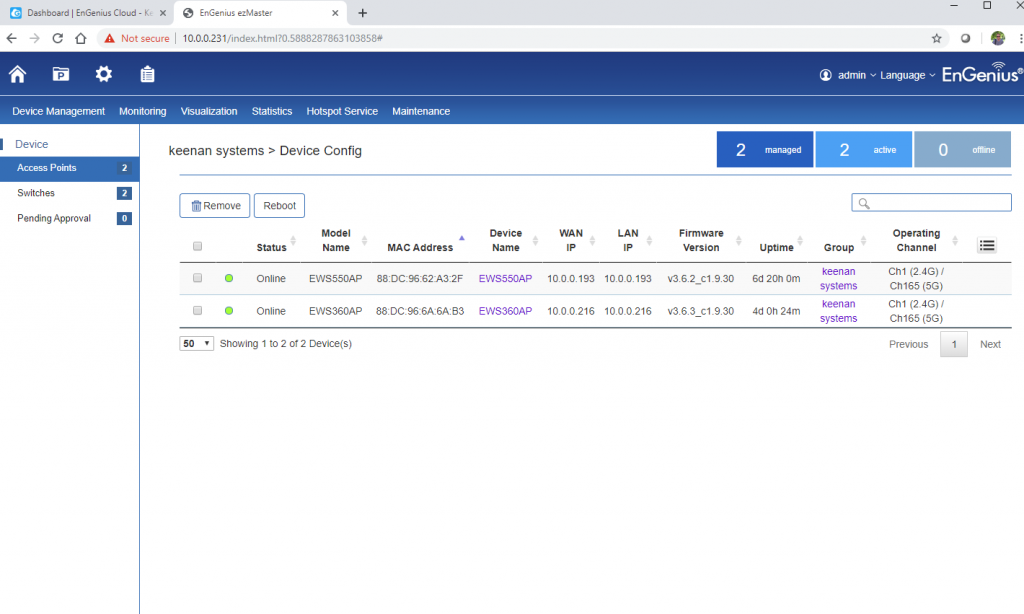
The EnGenius Skykey is now shipping click here for more information